Makro
Case study: Focused on research and analysis.
CONTEXT
The main challenge was building a simple, user-friendly platform for a high demanding job. Redesign an existing dashboard, optimizing its functions while avoiding learning a new software from zero.



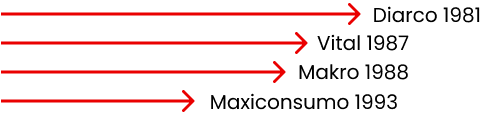
The wholesale supermarket chain Makro competes directly with other supermarket chains of similar age but different origins. Unlike Makro, many competitors emerged from national capital investments or the union of several small supermarkets.
During the first wave of the pandemic, wholesale supermarkets experienced a spike in sales due to fears of potential shortages. However, over time, this curve gradually leveled off, despite rising devaluation rates. Additionally, the implementation of e-commerce by competing hypermarkets further impacted sales. Despite this shift, wholesale chains remain hesitant to adopt a commercial system that has become a key feature of the post-pandemic market.
LEAN CANVAS
Let's quickly validate ideas by focusing on key elements.
RESEARCH METHODOLOGY
We conducted a study with 10 users using the Optimal Workshop tool. Through the TreeJack activity, we gathered insights on user behavior in response to two predefined scenarios. This allowed us to analyze how users navigate and interact with the app’s information architecture.
WHAT DID WE IDENTIFY?
We conducted a study with 10 users using the Optimal Workshop tool. Through the TreeJack activity, we gathered insights on user behavior in response to two predefined scenarios. This allowed us to analyze how users navigate and interact with the app’s information architecture.
USER MAP PATH
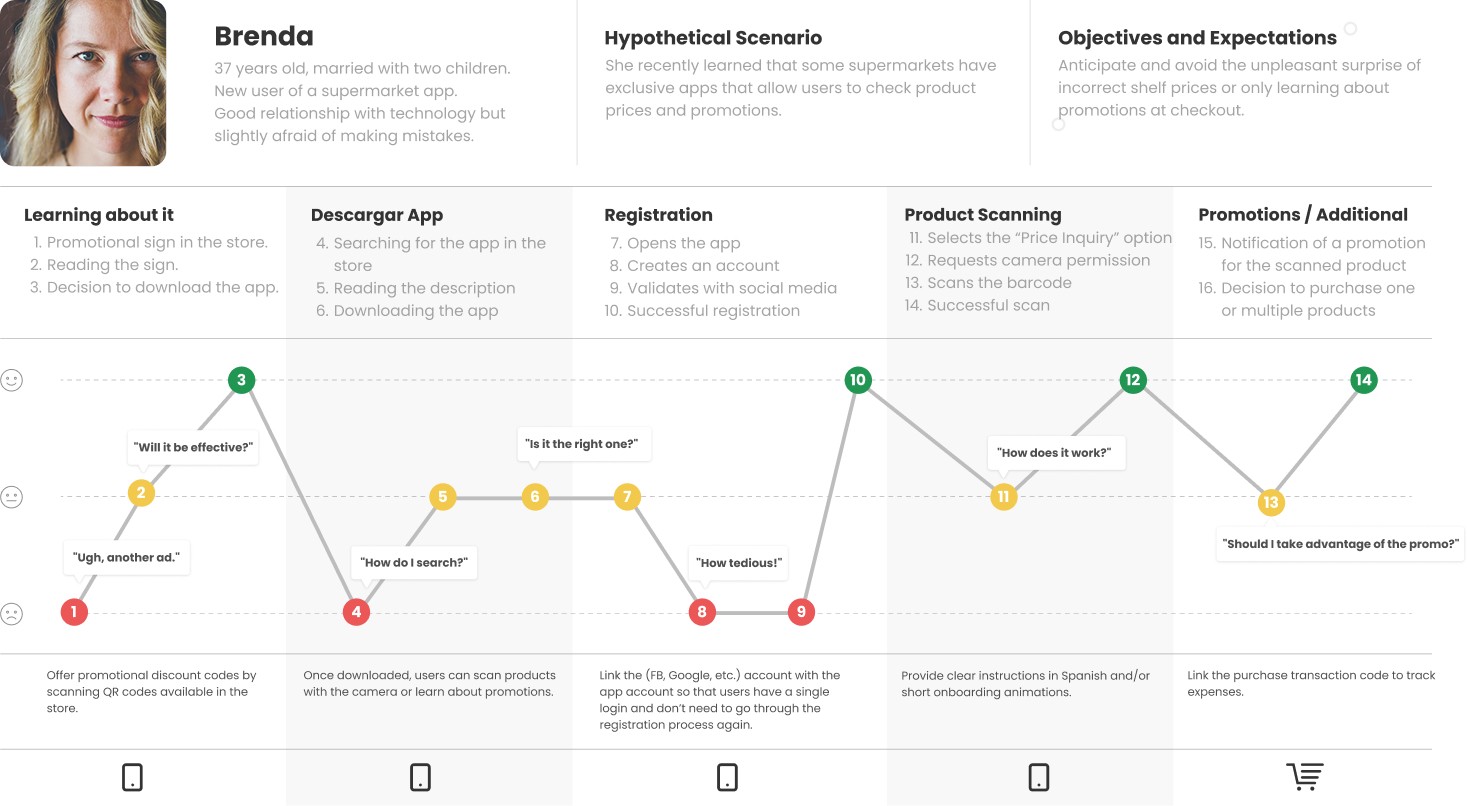
The following map path is a visual representation of a user’s interactions with a product or service over time. Which helped us to understand the user's experiences, emotions, and pain points throughout their journey.
NEEDS MAP
The following map path is a visual representation of a user’s interactions with a product or service over time. Which helped us to understand the user's experiences, emotions, and pain points throughout their journey.
Current Architecture
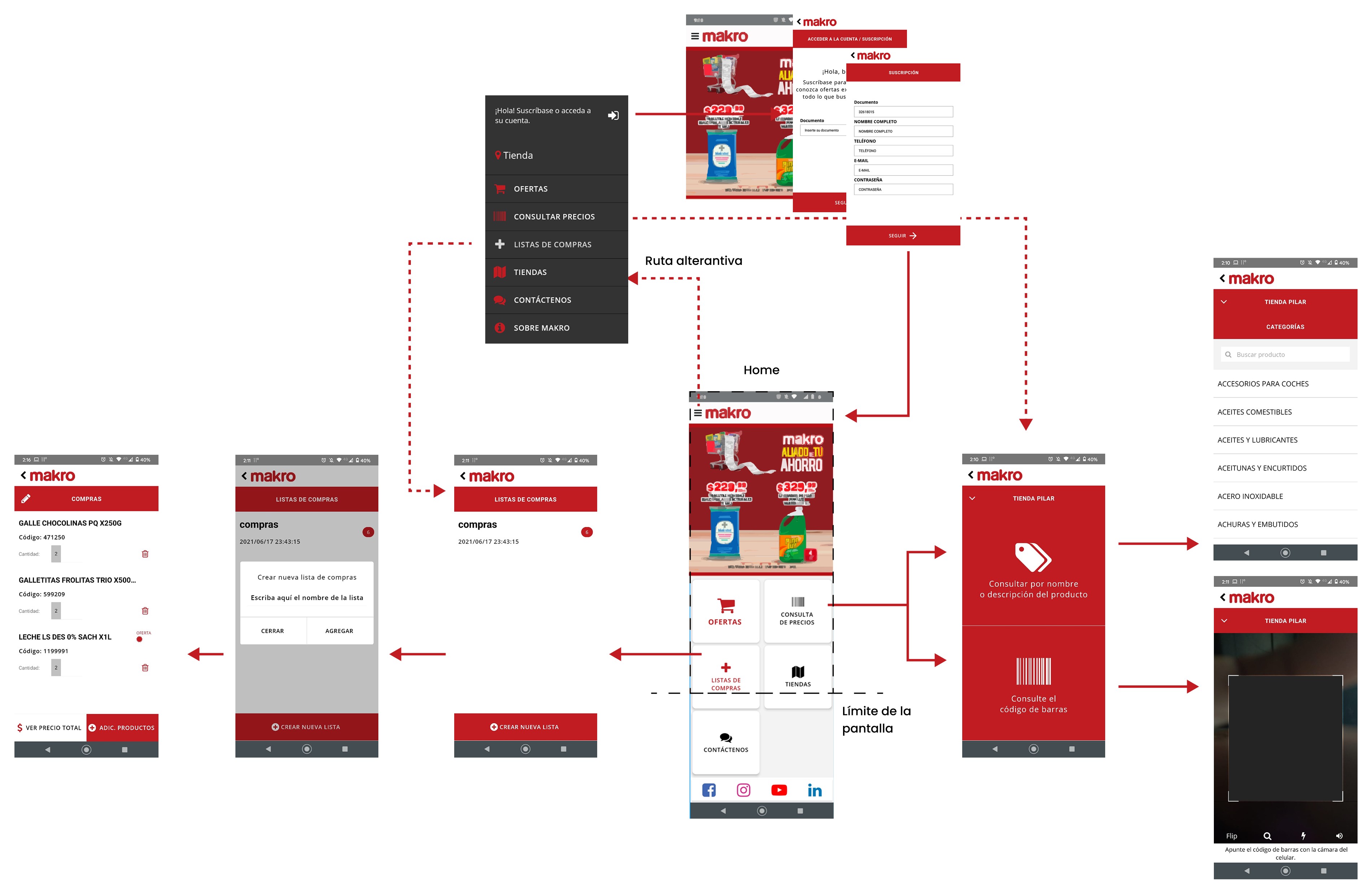
The following diagram represents the current architecture, which helped us understand the user's experiences, emotions, and pain points throughout their journey.
Usability Report
The following map path is a visual representation of a user’s interactions with a product or service over time. Which helped us to understand the user's experiences, emotions, and pain points throughout their journey.
Results
Users felt there were too many steps involved in checking a product's price.
The back-and-forth navigation was inconvenient and disrupted the shopping flow.
All users were able to create shopping lists, add products, and share them without any issues.
Based on the results obtained, we can conclude that 1 out of 10 users explored more options before selecting one, but fortunately, all users were able to reach the correct option without difficulty.
Regarding price inquiries, 2 out of 10 users preferred searching for products by name. We believe this may be due to the margin of error when scanning barcodes with a mobile device or a specific past experience of the user.
Final Conclusion
The usability test was successful. Given the short time users took to complete the tasks and the results obtained, we can conclude that the options presented are clear, well-organized, and align with users’ mental models.
DESIGN PROPOSAL
Enhanced User Flow & Optimized Navigation
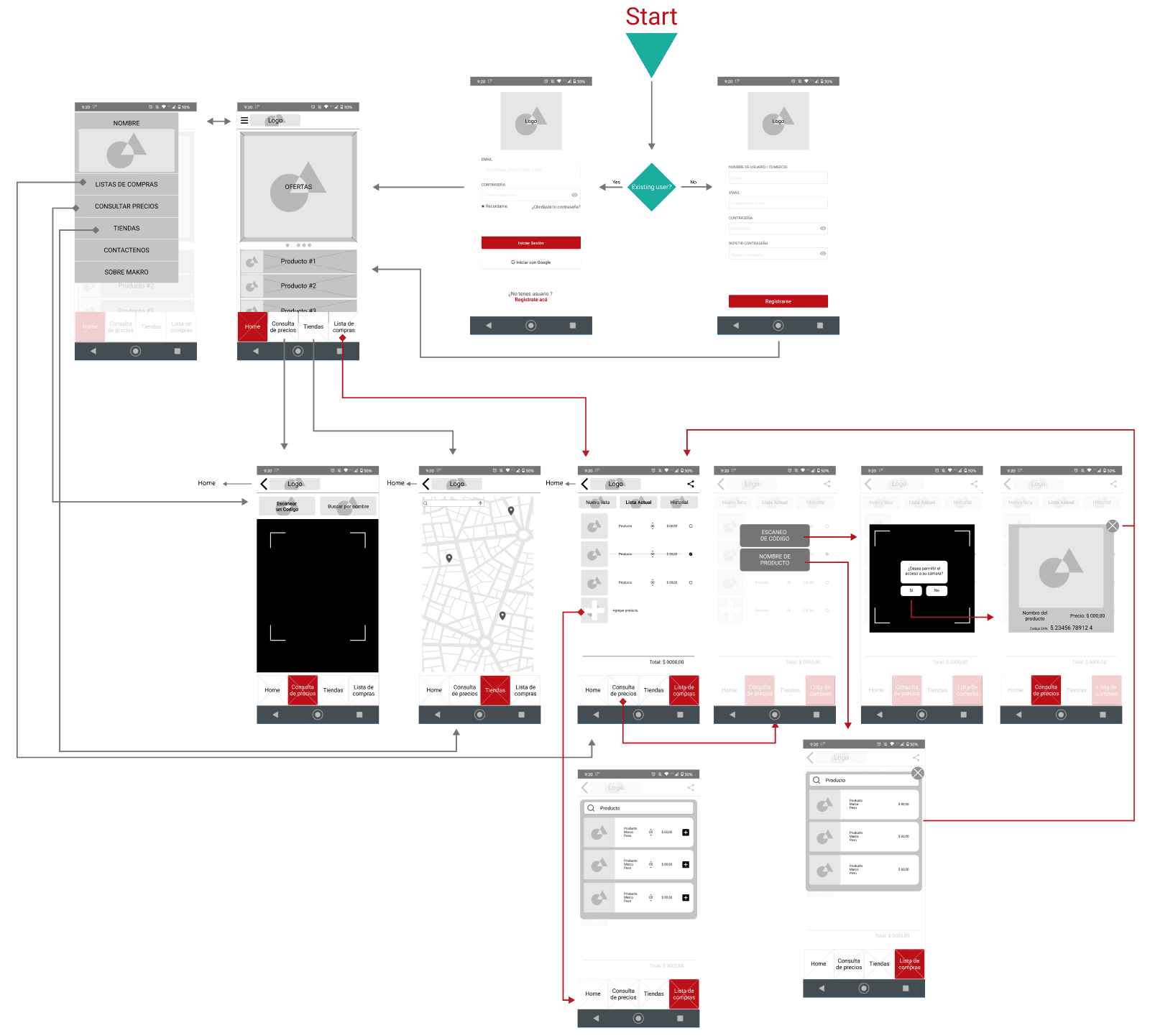
The following user flow presents enhancements based on user experiences, analysis, and conducted interviews.
It includes smoother screen transitions, a redesigned home for improved product and promotion visibility, a bottom navigation bar for quick access, and a seamless connection between the shopping list and product scanner.